2024.01.24 14:00:00

News

One Piece Bounty Rush Beginner's Guide

img_banner_info_00000001UdfeoetF.png

This page is intended for beginners and those who wish to improve their abilities,
and it will give an introduction to Training methods and the characteristics of each Battle mode.

Battle
Training

Player Rank 1+

■ How to Obtain Characters

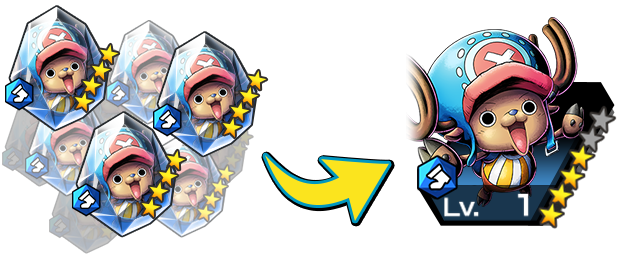
Characters can be obtained through using Scouts, or unlocked by obtaining a certain amount of Character Fragments.
Rainbow Diamonds, a valuable item required to use the Scout function, can be obtained as rewards for activities such as Missions or Solo Battles.
Character Fragments can be obtained from League Battle rewards or through the Exchange.
guide_img_1_1.png

■ Character Classes and Elements

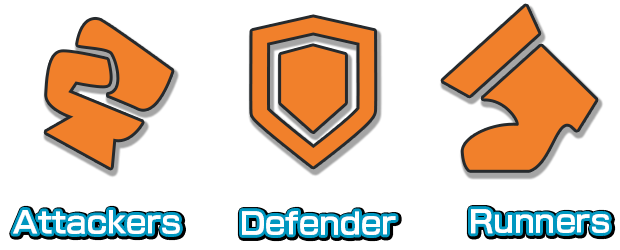
There are three Character Classes: Attacker, Defender, and Runner.
Attacker Class Characters have excellent ATK and specialize in defeating enemies.
Defender Class Characters have great DEF and specialize in defending Treasure.
Runner Class Characters have superior SPD and Capture Speed and specialize in capturing Treasure.
guide_img_1_2.png

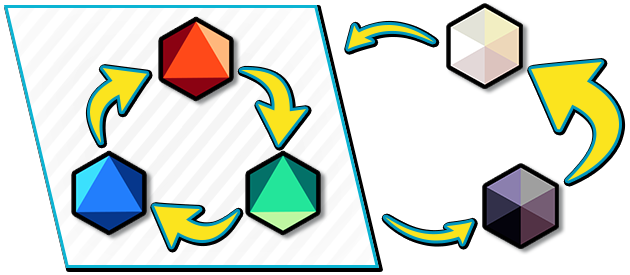
Characters also have one of five Elements: Red, Blue, Green, Light, or Dark.
Depending on the Element, the amount of damage dealt or received will change.
The Red Element is strong against Green, but weak to Blue.
The Blue Element is strong against Red, but weak to Green.
The Green Element is strong against Blue, but weak to Red.
The Light Element has a slight advantage against Red, Blue, and Green, but is very weak to Dark.
The Dark Element is very strong against Light, but is slightly weak to Red, Blue, and Green.
guide_img_1_3.png

Player Rank 1+

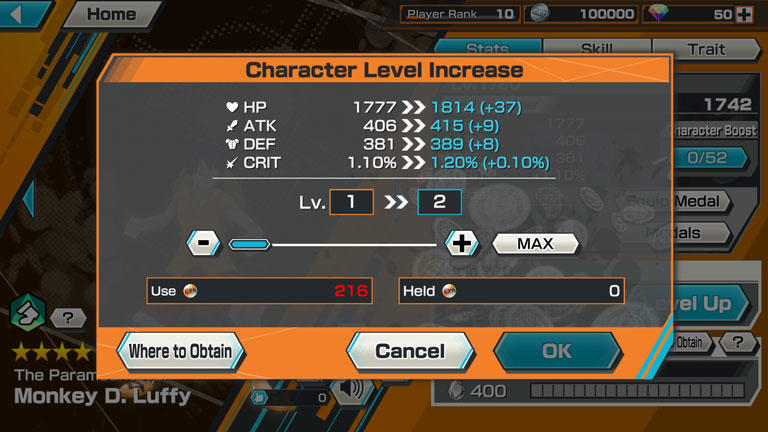
You can use EXP Orbs to level up characters.
By levelling up characters, you can raise their stats such as ATK.
Additionally, character levels have upper limits that are dependent on the character's grade.
EXP Orbs can be obtained from Missions, League Battle rewards, etc.

guide_img_2_1.jpg

Player Rank 1+

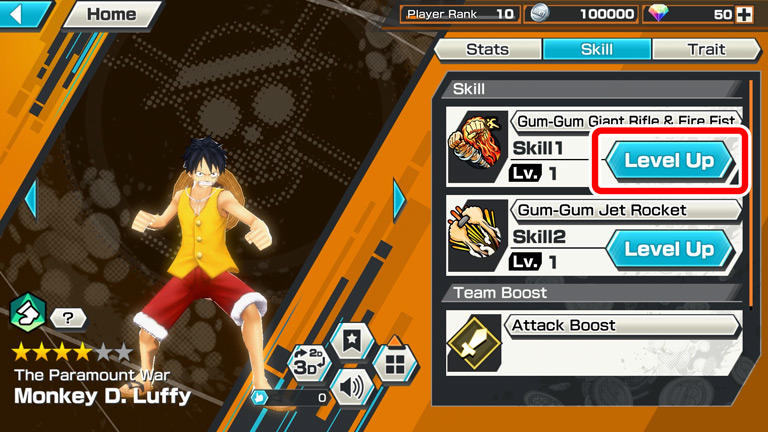
You can use Skill Orbs to level up skills.
By levelling up skills, Skill Power will increase, and the cooldown before skills can be reused will be reduced.
The required Skill Orbs will differ depending on the character's Element and Class.
You can obtain Skill Orbs from Missions or the Exchange.

guide_img_3_1.jpg

Player Rank 3+

■ Setting Support Characters

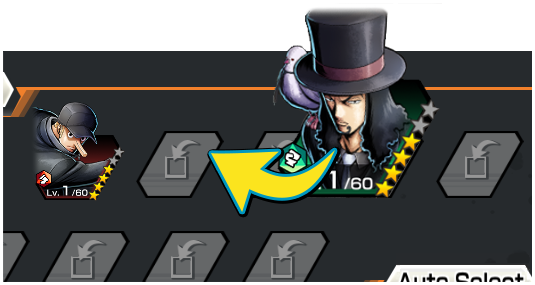
Setting characters you own as "Support" will increase your Battle Characters' stats.
Stat increase will depend on the level, Skill Level and unlocked Boost Panels of the Support Characters, as well as equipped Medals.
Stats will be increased further if Support Characters and Battle Characters share the same Element.
You can also auto select Support Characters.
Support Characters are unlocked at Player Rank 3, and as your player rank increases, the number of characters that can be set will also increase.

guide_img_6_1.png

■ Character Type Effect

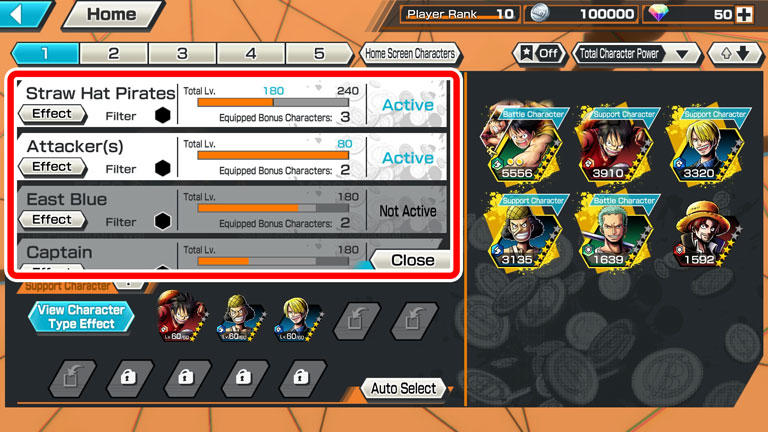
By equipping characters with the same Character Type as your Support Characters, "Character Type Effects" may activate.
The effect(s) will vary according to the total level of applicable characters.

guide_img_6_2.jpg

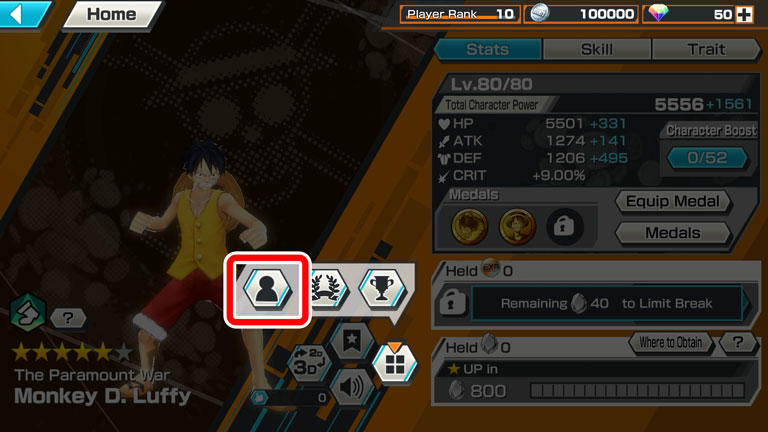
You can check your Character Type via the button in the red box in the below image.

guide_img_6_3.jpg

Player Rank 4+

■ Medals

Equipping Medals to characters gives them additional Traits, Status Boosts, etc.
There are two kinds of medals: General Medals, which can be crafted and upgraded at any time, and Event Medals, which can only be crafted during their respective event periods.
Medals are unlocked at Player Rank 4.

guide_img_5_1.jpg

■ Crafting and Upgrading Medals

guide_img_5_2.jpg

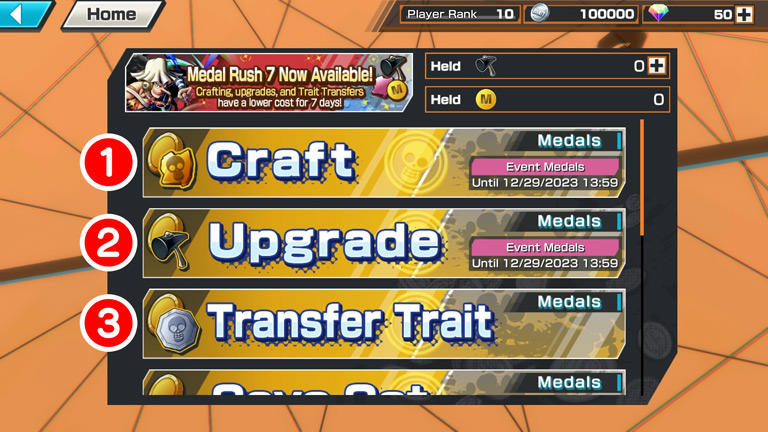
①Crafting: Medals can be crafted using Medal materials and Bounty Coins.

②Upgrading: Crafted Medals can have up to 3 Extra Traits added.
Extra Traits have rarities up to 3★, and the higher the rarity, the stronger the effect.
Using Hammers will allow you to perform Instant Upgrades.

③Trait Transfer: Extra Traits can be transferred between Medals of the same name. The Medal used for the Trait Transfer will be lost. Traits can also be transferred by using "Transfer Medals".


■ Tags

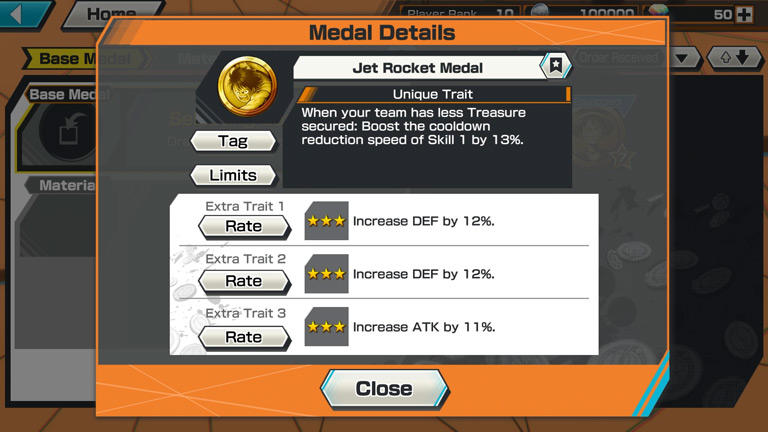
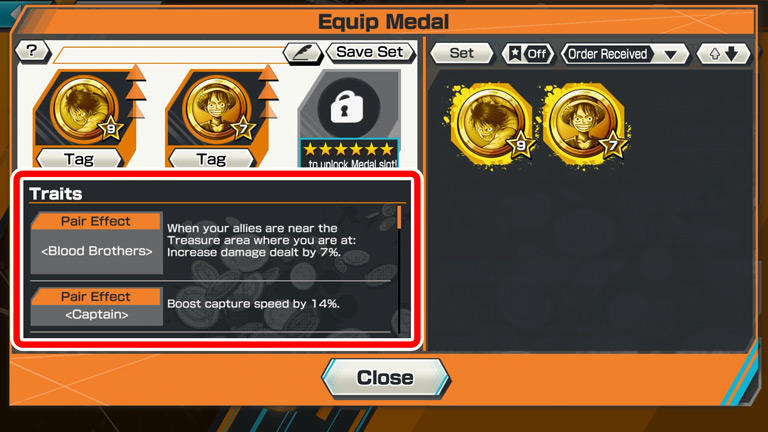
When multiple Medals with the same Tag are equipped, a "Set Effect" will be activated.
The more Medals equipped, the greater the Set Effect.

guide_img_5_3.jpg

Player Rank 5+

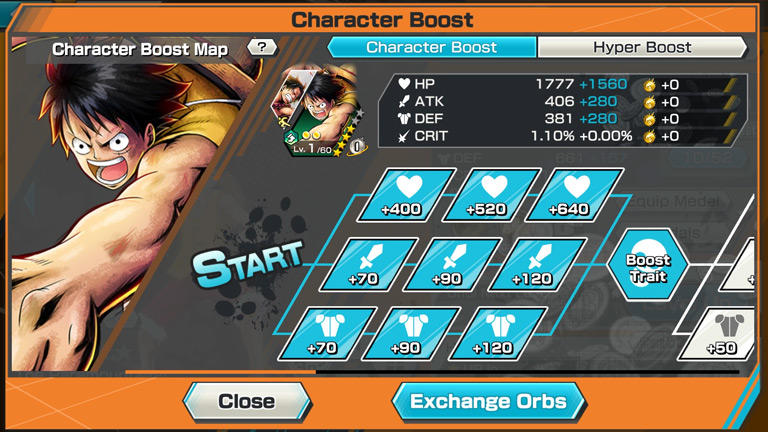
By using Boost Orbs, you can increase the stats of characters or unlock new Traits.
Depending on the unlocked Boost Panels, the types and amount of required Boost Orbs will change.
You can also unlock Hyper Boost Panels, which will improve all of your characters' stats.
Boost Orbs can be obtained via Challenge Battles and Missions.
Character Boost is unlocked at Player Rank 5.

guide_img_4_1.jpg
guide_img_7_1.jpg

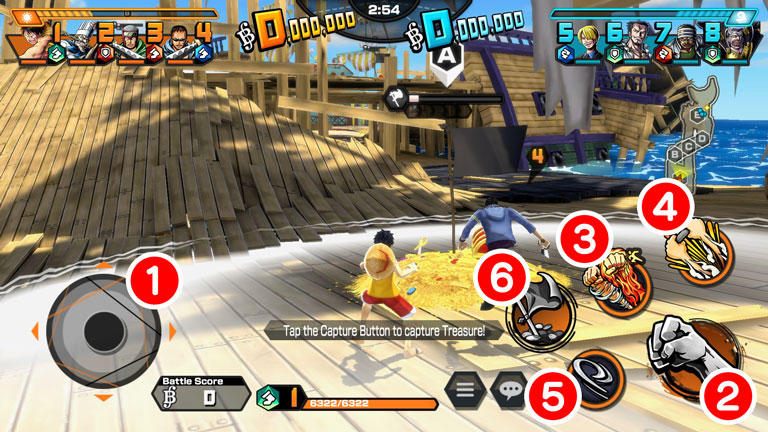
①: Moving the Character
②: Normal Attack Button
③: Skill 1 Button
④: Skill 2 Button
⑤: Dodge Button
⑥: Capture Button

*Skills have cooldowns, and when a skill button is grayed out, it cannot be pressed.
*The Skill 2 Button is unlocked when a character's grade reaches 3★.
*The "Capture Button" will not be displayed outside of a Treasure Area.
*The "Capture Button" cannot not be pressed if there are enemies inside the Treasure Area.

■ League Battle

A game mode where you are matched with other players to battle.
In League Battle, depending on your performance, your League Score will change.
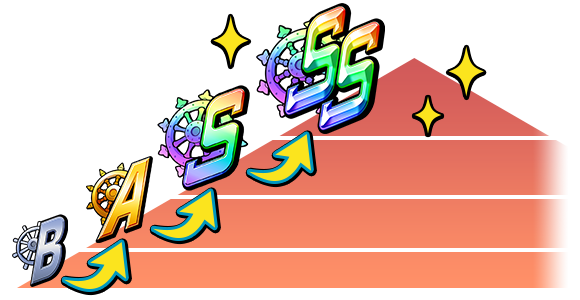
By accumulating a League Score above a certain amount, your current League will be promoted.

guide_img_8_1.png

■ Rewards

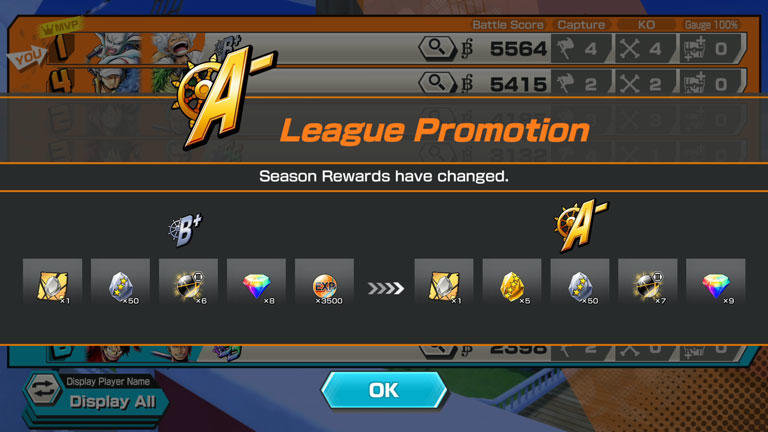
The Season Rewards you earn will change based your current League.
At the end of the season, the higher the League you are in, the better the rewards you will obtain.

guide_img_8_2.jpg

On top of that, by playing League Battles you can also earn Bounty Coins, EXP Orbs, Battle Points, Medal Materials, Character Fragments, and a Battle Score.
Your Battle Score will increase based on your battle results and you will receive Battle Score Completion Rewards according to your total accumulated score.

■ Challenge Battle

Challenge Battles are limited-time battles with special rules and include "Serious Challenge", "Tons of Treasure", "Brawl 8", etc.
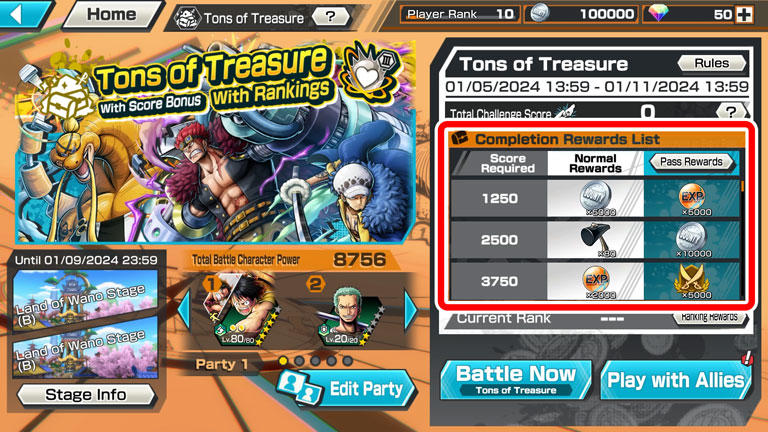
Your Battle Score will increase based on your battle results, and you will receive Completion Rewards such as Boost Orbs and 4★ Crystal Fragments, which cannot be obtained from League Battles.

guide_img_9_1.jpg

*A detailed explanation of each Challenge Battle can be confirmed from the "Rules" screen.


■ About Score Bonus and Ranking Rewards

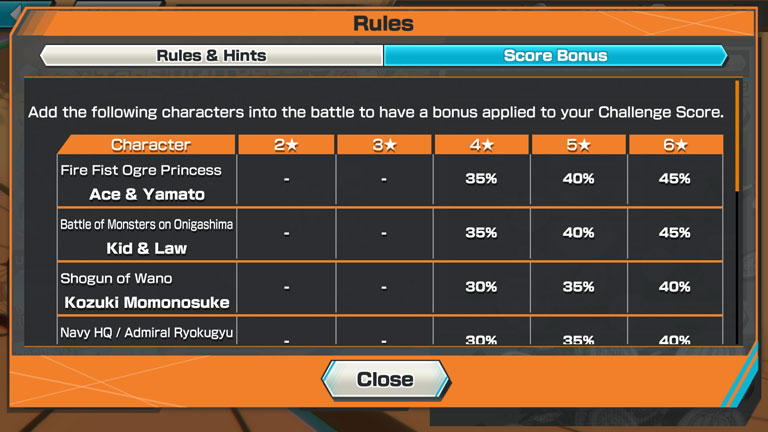
In some Challenge Battles, the amount of Challenge Score received will increase if you add a character with a Score Bonus to your party.

guide_img_9_2.jpg

In Challenge Battle, there is also a Ranking system where you compete with other players for the most cumulative Challenge Score.
Use Score Bonuses effectively and aim for a high rank to get amazing rewards.

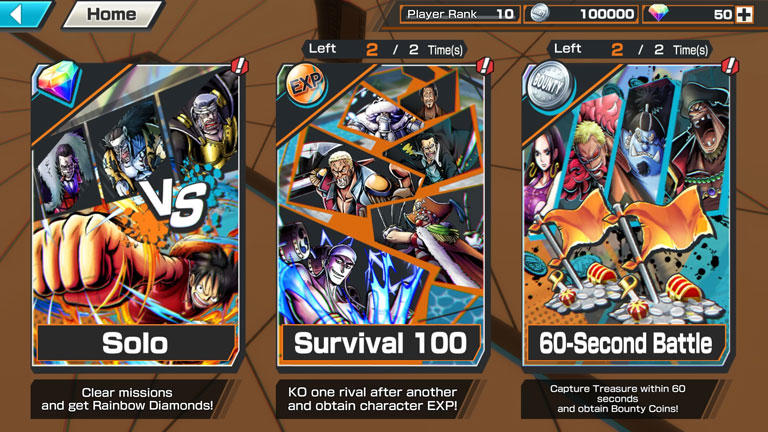
There are three kinds of Solo Battles: "Solo Battle", "Survival 100", and "60-Second Battle".

guide_img_10_1.jpg

■ Solo Battle

In Solo Battle, you can obtain Rainbow Diamonds as Mission Rewards. There are two modes, Episode and Practice.

■ Survival 100

In Survival 100, EXP is granted to characters based on the number of KOs. If their Character Level is maxed out, a portion of these rewards will instead be converted into EXP Orbs.
In order to play, "Challenge Tickets" are required, which replenish over time.

■ 60-Second Battle

In 60-Second Battle, you compete against rivals over two Treasures, and receive Bounty Coins depending on the amount of Treasure you secure in battle, as well as Medal Materials for the character you used.
In order to play, "Challenge Tickets" are required, which replenish over time.

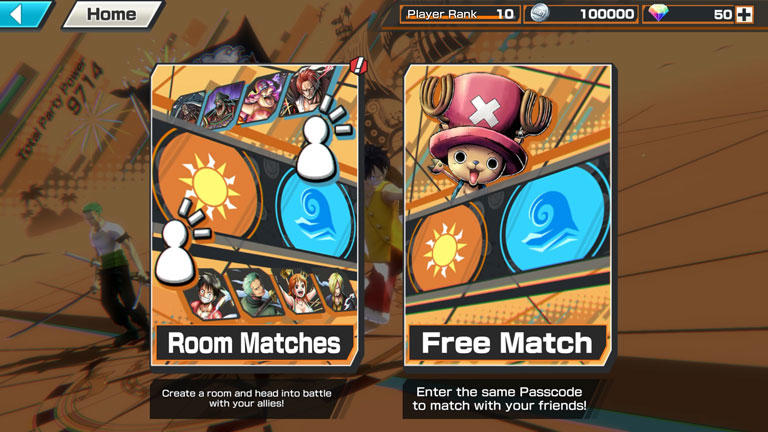
There are two types of Private Battle: Room Match and Free Match.
Private Battles do not affect your League Score, so you can relax and enjoy battling.
Invite your friends and have fun with Bounty Rush together!

guide_img_11_1.jpg

■ Room Matches

Room Matches allow you to create a room and fight against other players.
Room Matches include Normal Rooms where you can battle with the standard rules, and Custom Rooms where you can adjust the number of players and add special rules.

■ Free Matches

You can battle with others who have the same Passcode.
Enter the Passcode, then tap "Battle Start!" at the same time to start the matchmaking process.

▲TOP